25 Essential Linux Commands Every DevOps Must Know
Linux commands every DevOps kitne important hote hain? Is powerful hands-on guide me 25 essential Linux commands ko simple Hinglish me explain kiya gaya hai — beginners ke liye perfect foundation.
25 Essential Linux Commands Every DevOps Must Know
Post 7 me aapne Git and GitHub ka powerful foundation build kiya — repositories, commits, branches, pull requests, aur collaboration flow.
Ab DevOps journey ka agla critical skill hai: Linux.
DevOps, Cloud, CI/CD, Containers, Kubernetes — sab Linux par run hote hain.
Iss post me aap 25 essential Linux commands ko practical examples ke saath seekhenge.
Introduction
Linux DevOps world ka core operating system hai.
Servers, containers, cloud platforms, DevOps tools — har jagah Linux ka istemaal hota hai.
Did You Know?
Almost 96% cloud servers Linux par run hote hain — including AWS, Azure, Google Cloud aur Oracle Cloud.
Isliye DevOps beginner ke liye Linux command line master karna mandatory hai.
Linux Basics — Why DevOps Engineers Depend on the CLI
Linux CLI (Command Line Interface) GUI se zyada powerful aur fast hoti hai, specially automation aur server management ke liye.
DevOps me Linux ka role:
- Server configuration
- Deployment automation
- File system management
- Log analysis
- Networking
- Container orchestration
- CI/CD pipeline execution
Linux = DevOps ka foundation + toolbox + playground
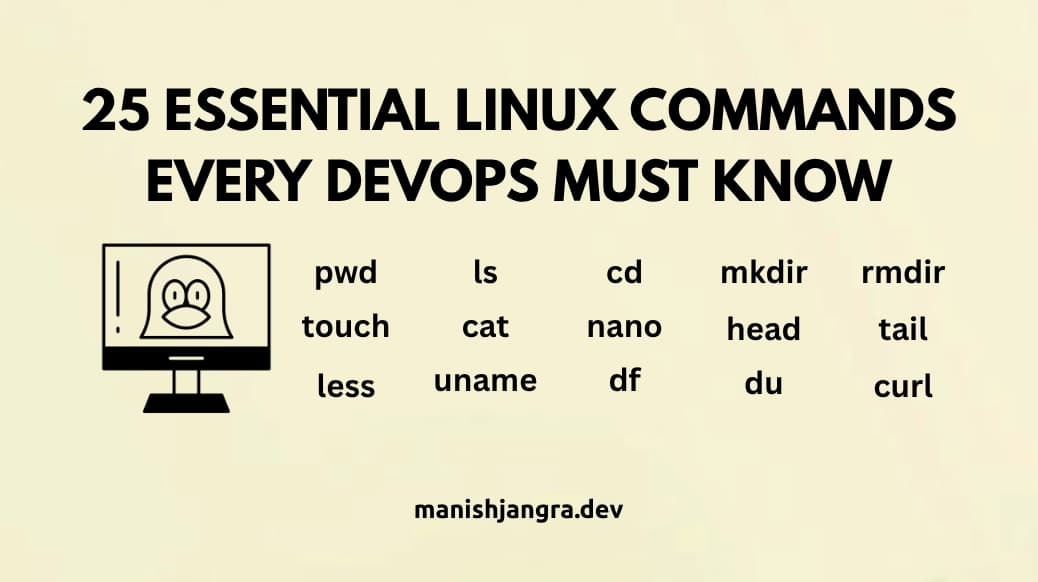
25 Essential Linux Commands Every DevOps Must Know
Neeche commands ko categories me divide kiya gaya hai — taaki aapko natural flow me learning mile.
1. File & Directory Navigation Commands
Most essential commands jo aap har server pe use karte hain.
1. pwd
Current directory show karta hai.
$ pwd2. ls
Directory ke andar ke files list karta hai.
$ ls –l (detailed list)3. cd
Directory change karta hai.
$ cd /var/www4. mkdir
New folder banata hai.
$ mkdir devops-project5. rmdir / rm -r
Empty folder delete →
rmdir
Files/folders force delete →
rm -r foldername2. File Management Commands
1. touch
New empty file banata hai.
$ touch index.html2. cp
File/folder copy karta hai.
$ cp file.txt backup/3. mv
Move ya rename karne ke liye.
$ mv oldname newname4. rm
File delete karta hai.
$ rm file.txt5. cat
File ka content print karta hai.
$ cat app.log3. File Viewing & Editing Commands
1. nano
CLI text editor — easiest for beginners.
$ nano file.txt2. tail
File ke last 10 lines — logs ke liye best.
$ tail -f /var/log/syslog3. head
File ke first lines.
$ head config.yaml4. less
Large files scroll karne ke liye.
$ less logs.txt4. System Information Commands
1. uname -a
System details show karta hai.
$ uname -a2. top
Real-time CPU/Memory usage — debugging ke liye.
$ top3. df -h
Disk usage check karta hai.
$ df -h4. du -sh
Folder size find karne ke liye.
$ du -sh /var/www5. Permission & Ownership Commands
1. chmod
File permissions change.
$ chmod 755 script.sh2. chown
File owner change karna.
$ chown ubuntu:ubuntu file.txt6. Networking Commands
1. ping
Host reachable hai ya nahi.
$ ping google.com2. ifconfig / ip a
Network interface info check.
$ ifconfig
$ ip a
3. curl
API testing & web requests ke liye.
$ curl https://api.github.com7. Package Installation Commands
1. apt-get install
Debian/Ubuntu me packages install karna.
$ sudo apt-get install nginx -y2. systemctl
Services start/stop/restart.
$ sudo systemctl restart nginxHow Linux Powers Real DevOps Workflows
A DevOps engineer Linux commands ka use karta hai for:
- CI/CD build servers run karna
- Docker containers manage karna
- Kubernetes nodes handle karna
- Log debugging
- System monitoring
- Deployment scripts
Example:
Aap “systemctl restart nginx” run karte hi production web server instantly reboot ho jata hai.
Ye server-level control DevOps ka backbone hai.
Hands-On Exercise — Your First Linux Practice Routine
Goal: Linux ke essential commands ko real practice me convert karna.
Task:
- Terminal open karein (Linux, Mac, WSL, or Cloud Shell).
- Ek practice folder banayein:
$ mkdir devops-practice
$ cd devops-practice
- Files create karein:
$ touch notes.txt data.txt
- In files ko edit karein:
$ nano notes.txt
- System details check karein:
$ uname -a
$ df -h
- Logs simulate karne ke liye:
$ tail -f /var/log/syslog
Outcome:
Aapka Linux CLI ka fear khatam ho jayega — aur aap ek true DevOps beginner ban jayenge.
Why Linux Skills Are Mandatory in DevOps Companies
Top companies like Netflix, Google, AWS, Meta, DigitalOcean Linux skills ko DevOps engineer ke liye non-negotiable requirement maanti hain.
Reasons:
- Infrastructure majority Linux-based
- Containerization tools Linux-native
- Automation scripts Linux environment me run hote hain
- Config management tools (Ansible, Puppet) Linux ke saath tightly integrated
DevOps career me growth = Linux mastery.
QnA Section
1. Kya DevOps ke liye Linux compulsory hai?
Yes — 100%.
2. Konsa Linux distribution beginners ke liye best hai?
Ubuntu.
3. Linux seekhne me kitna time lagega?
1–2 weeks of consistent practice.
4. Kya Linux bina GUI ke use karna zaroori hai?
Haan — CLI hi DevOps ka real skillset hai.
Conclusion
Linux commands DevOps learning ka most important step hain.
Is guide me aapne 25 essential Linux commands ko practical examples ke saath master kiya.
Ye commands aage aapko Docker, Kubernetes, Terraform, Jenkins, aur CI/CD pipelines me directly help karenge.
Next Post:
Post 9 – What is Version Control? A Beginner-Friendly Deep Dive
Tags
Share Article
Related Articles
Docker Basics for Beginners – 10 Powerful Concepts You Must Know

The Ultimate Beginner Guide to Version Control – 10 Powerful Reasons Why DevOps Uses It
Introduction to Git and GitHub for DevOps
CI/CD Tools Overview
CI/CD Pipelines Explained (How Pipelines Actually Work)